Case Study · 2026
Toll Command
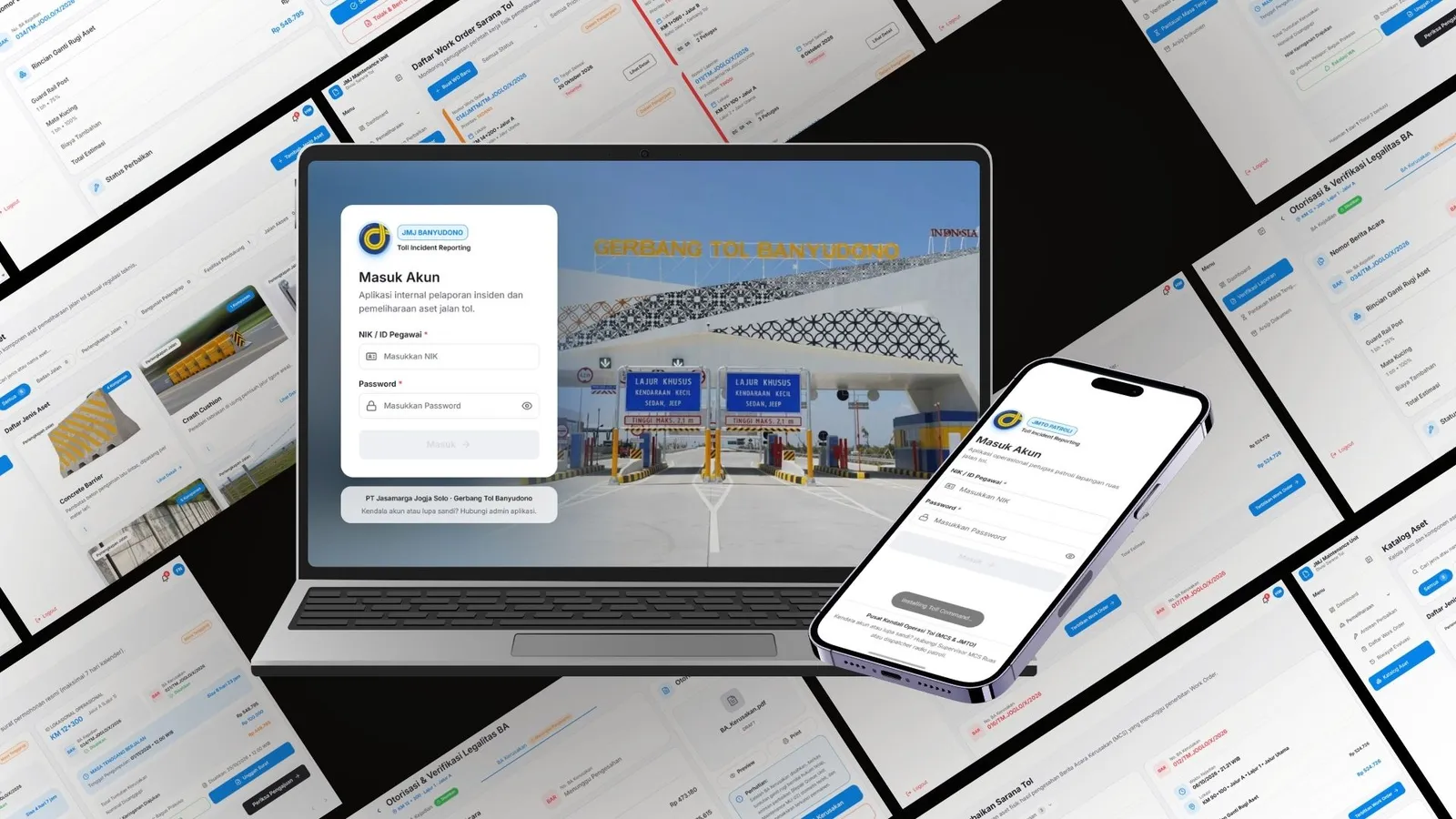
Desktop command-center frontend for an internal toll incident and asset maintenance PWA at Jasa Marga.
The Context
Along the Solo–Yogyakarta–NYIA Kulon Progo toll corridor, handling traffic incidents and damaged highway assets under PT Jasamarga Jogja Solo (JMJ) follows strict internal operational procedures. Previously, every stage ran on paper: handwritten field reports, printed official minutes (Berita Acara), manual lookups against unit price tables, and manual reporting to management.
Toll Command brings that entire workflow into one internal Progressive Web App shared across the toll operator (JMJ), operations unit (JMTO), and maintenance unit (JMTM). One core rule governs the platform: physical road repairs are strictly separated from financial indemnity claims, so urgent safety fixes on the highway never wait for payment processing to finish.
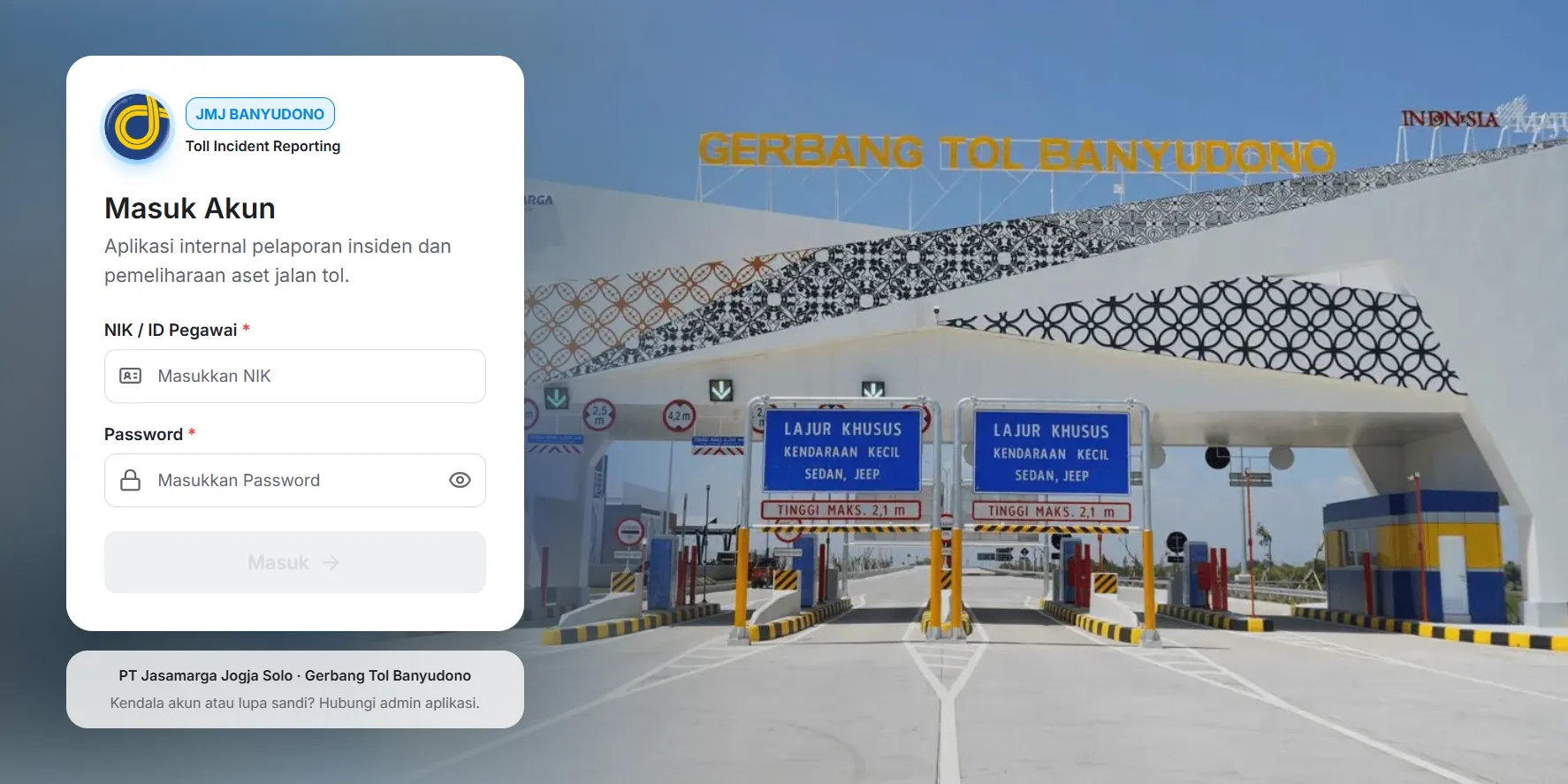
Unified sign-in portal at Gerbang Tol Banyudono routing each authenticated employee into their dedicated operational workspace across JMJ, JMTO, and JMTM.
Proposing a Unified Offline-First PWA
Early discussions assumed we would need two separate products: a native mobile app for highway patrol crews and a separate web dashboard for office approvals. After listening to management’s operational constraints around dead-signal highway stretches and long-term maintenance overhead, I proposed consolidating every role into one offline-first Progressive Web App built on Next.js, Serwist, and WatermelonDB (IndexedDB), and led the initial architecture and offline setup before a fellow frontend developer built out the mobile-first field role views (Field Officer, Maintenance Officer) and Super Admin.
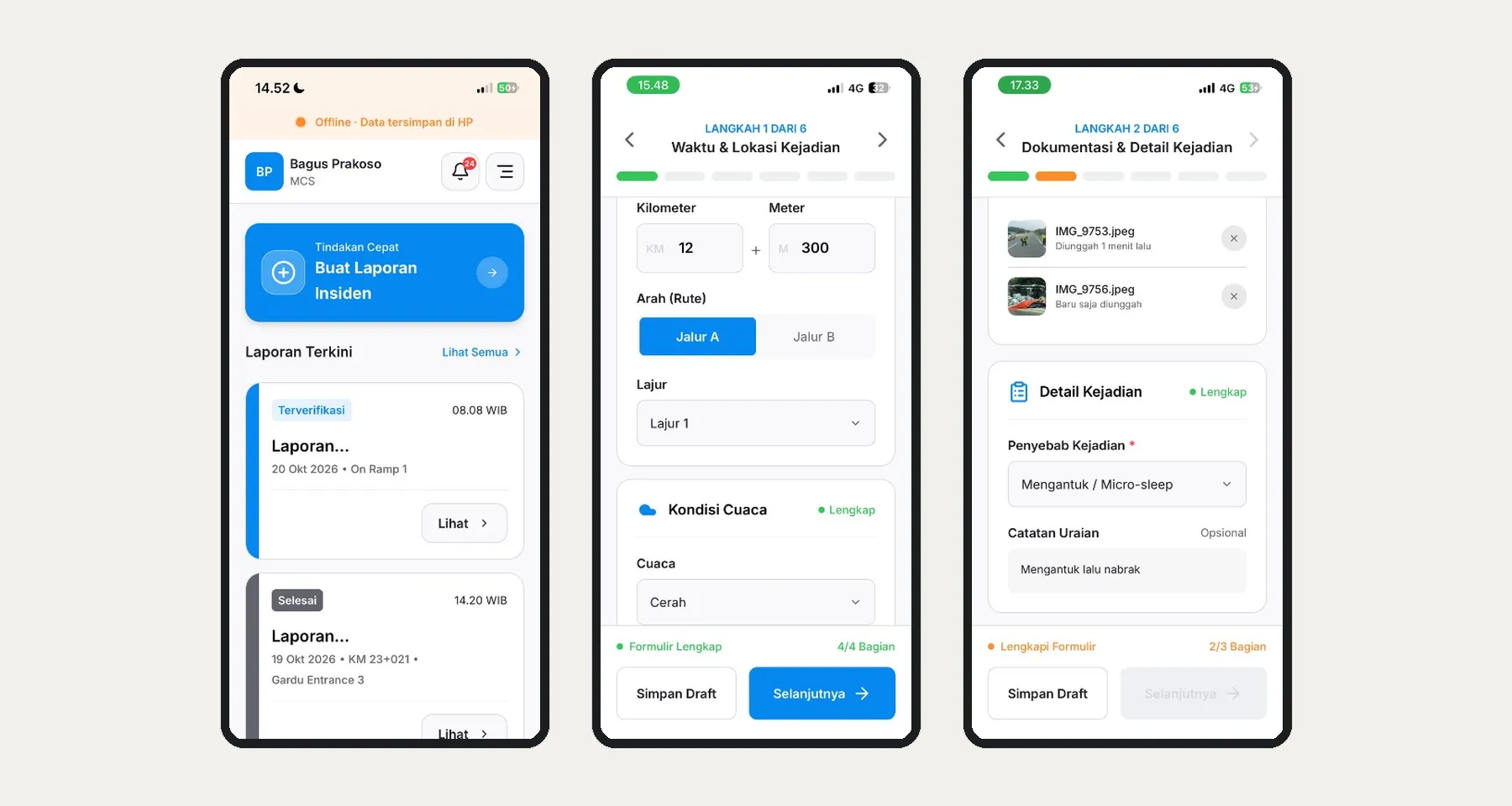
Mobile-first field experience running inside the same Next.js PWA codebase: showing the live Offline · Data tersimpan di HP indicator, step-by-step incident location entry, and local photo capture built on top of our shared offline-first foundation.
Owning the Desktop Command Experience
With the shared foundation and role-rewritten routing in place (/dashboard, /verifikasi-laporan), I focused my day-to-day frontend implementation on the desktop sidebar web experience across three operational roles: MCS Supervisor, Unit Maintenance, and Senkom (TIC), while also contributing layout polish on Super Admin alongside our dedicated UI/UX designer.
Verifying Official Reports Under Real Latency
For MCS Supervisor, I built the incident verification queue (Verifikasi Laporan), approval cards for official incident and damage reports (BA Kejadian / BAK and BA Kerusakan / BAR), PDF downloads, and shareable URL filter tabs. Each report intentionally shows the actual field incident time alongside the server arrival time so supervisors can immediately spot reports submitted offline and synced later.
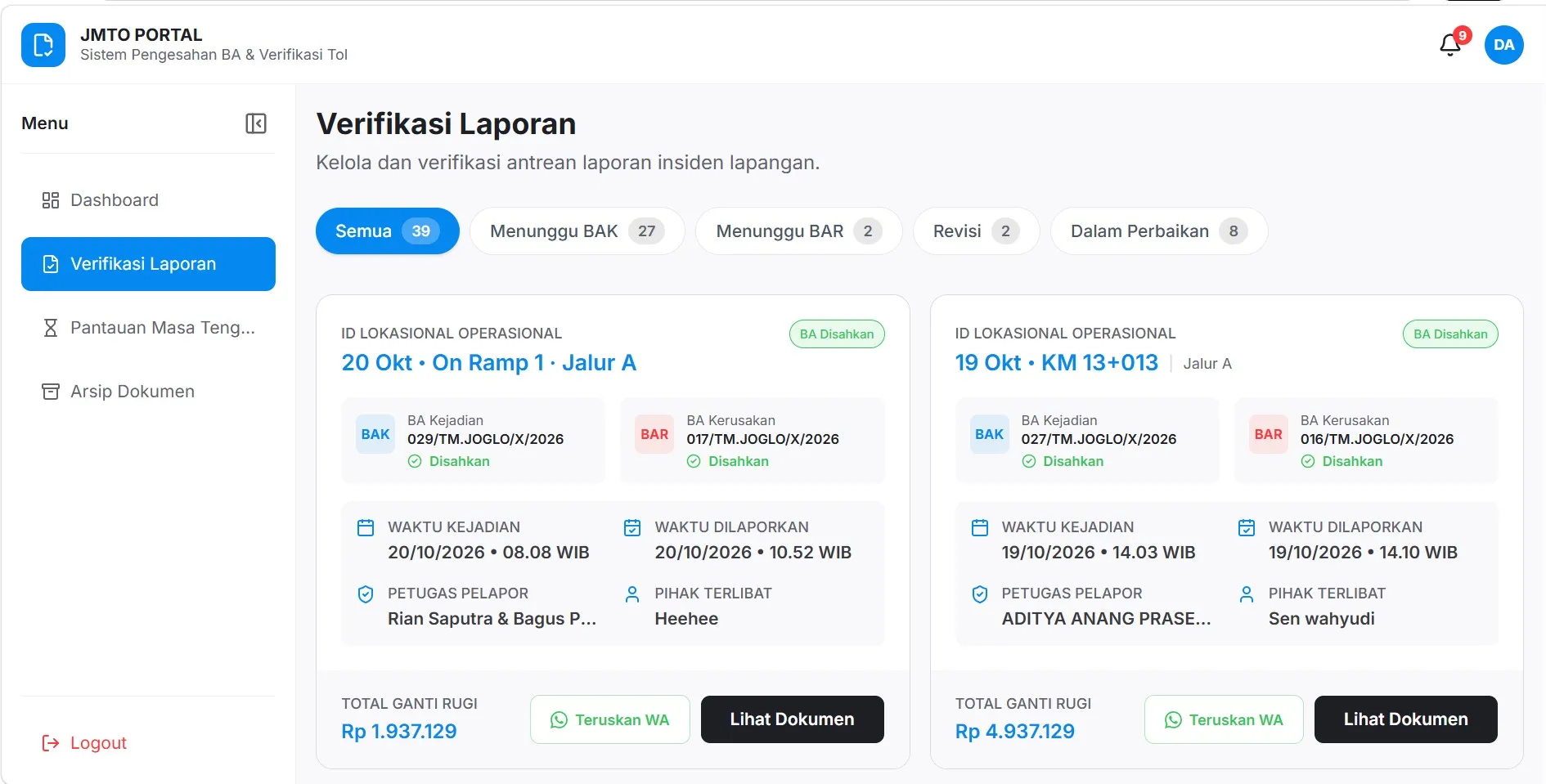
MCS Supervisor verification queue surfacing dual BAK and BAR authorization statuses, side-by-side incident vs. sync timestamps, and itemized indemnity estimates. All screens shown use testing data to respect internal operations.
Real deployment surfaced practical constraints that shaped the code: heavy PDF-generating validation requests needed per-endpoint timeout overrides with automatic state recovery, while a hybrid LRU local cache (storing up to 30 recent reports plus IndexedDB PDF blobs) kept verification screens readable during unstable connections.
Decoupling Repair Queues & Asset Standards
For Unit Maintenance, I implemented the repair queues (Antrean Perbaikan), Work Order management, evaluation history, and the Katalog Aset workspace. Translating official toll asset standards such as Concrete Barriers, Crash Cushions, and Delineators into structured component catalogs ensured damage assessments and repair orders always shared the same source of truth.
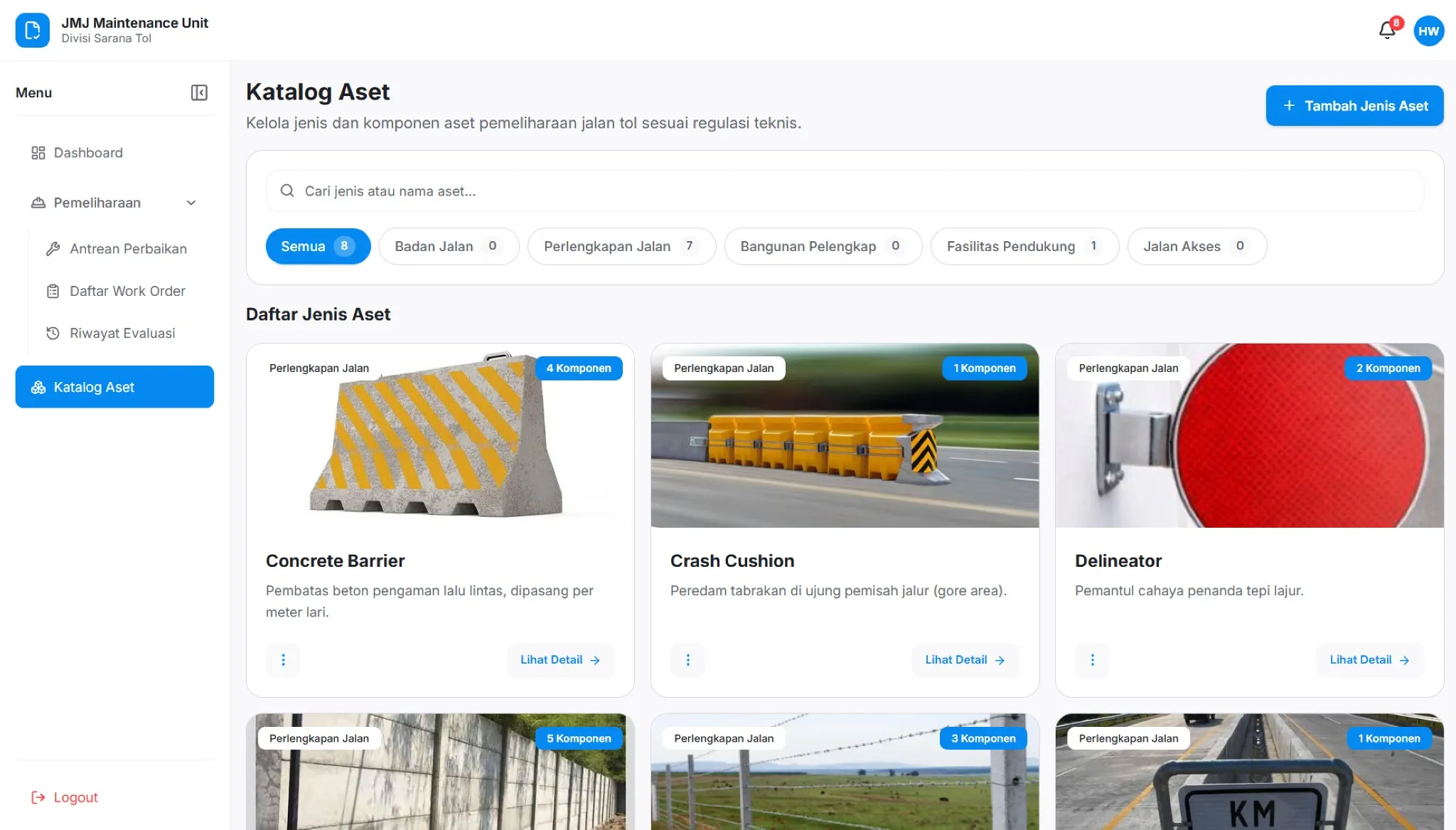
Asset Catalog (Katalog Aset) for Unit Maintenance, organizing regulated highway components and unit specifications used across both damage calculations and field Work Orders.
Operational Visibility & Resilient PWA Foundations
For Senkom (TIC), I built operational analytics dashboards tracking dominant incident causes, weather patterns, frequently damaged assets, claim realization, and shift rosters, while also helping refine shared desktop layouts and settings forms across the admin workspace.
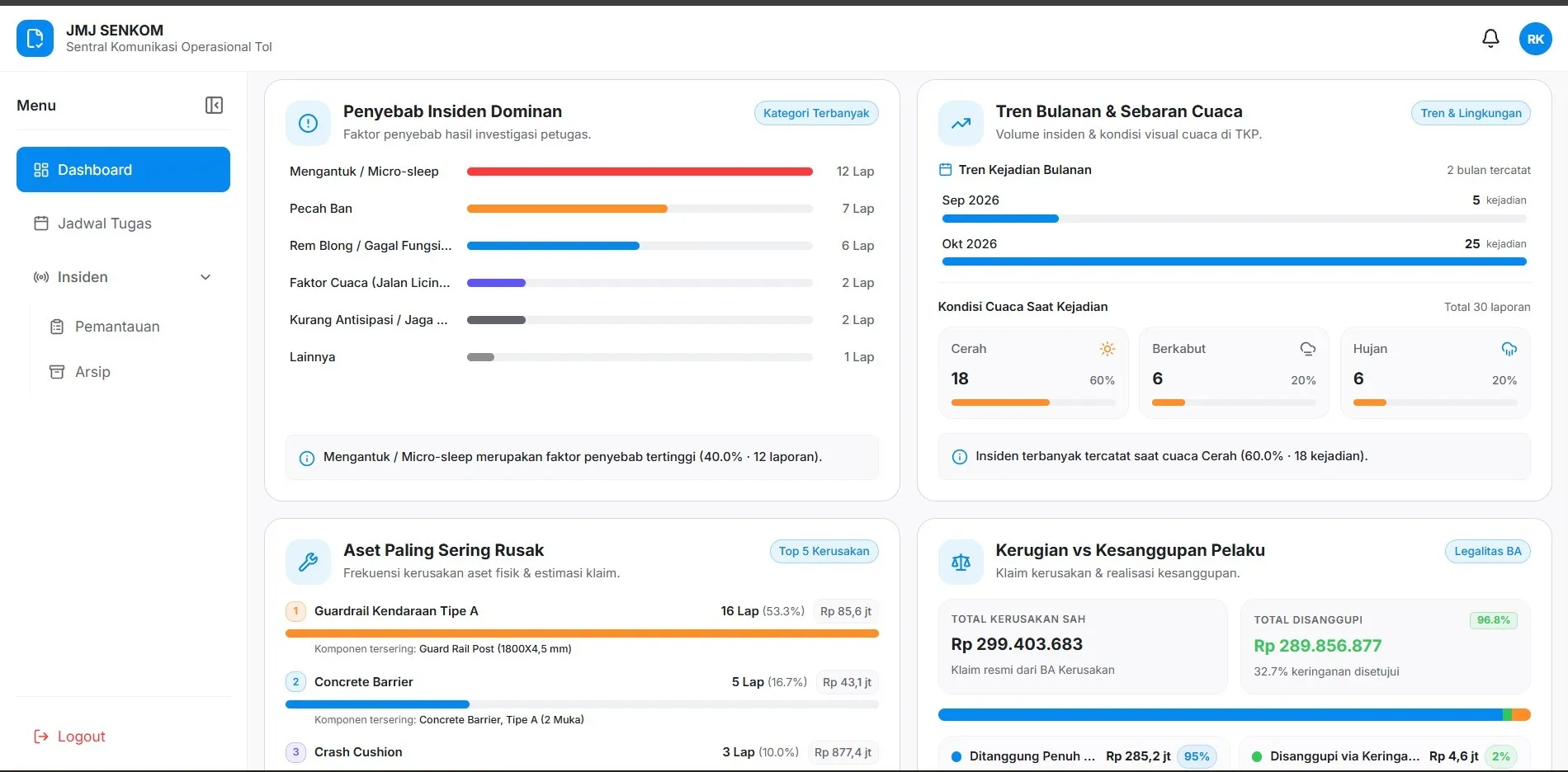
Senkom operational analytics summarizing dominant incident causes, monthly weather conditions, top damaged highway assets, and indemnity realization across the corridor.
Across the shared frontend layer, I also strengthened session and offline reliability: hydration-safe role route guards, persistent PWA session cookies, Service Worker rules that keep live API calls fresh, and automatic session-expiration handling that clears office caches without ever wiping unsynced field reports saved on a patrol officer’s phone.
Reflection
Building an internal production system for highway operations pushed my frontend work well beyond screen layout. The real test lived in the edge cases: surviving slow connections, keeping offline field drafts safe during session expirations, and structuring three distinct office workflows inside one maintainable codebase.